



Before choosing a slide color, decide what you want the audience to remember. These three skills help you prepare that message, rehearse questions, build an editable presentation and give it a consistent style. The packages have installation routes for Codex, Cursor and Claude Code; what you can do also depends on the tools available in the app. We will start with one clear route: Codex on your computer.
A skill adds instructions, supporting files and sometimes small programs to an AI assistant. It belongs in an app that can work with files and tools. Opening a link or pasting it into ordinary ChatGPT website chat does not install it. The links here open GitHub, where developers publish the packages. A file called SKILL.md contains the skill’s instructions.
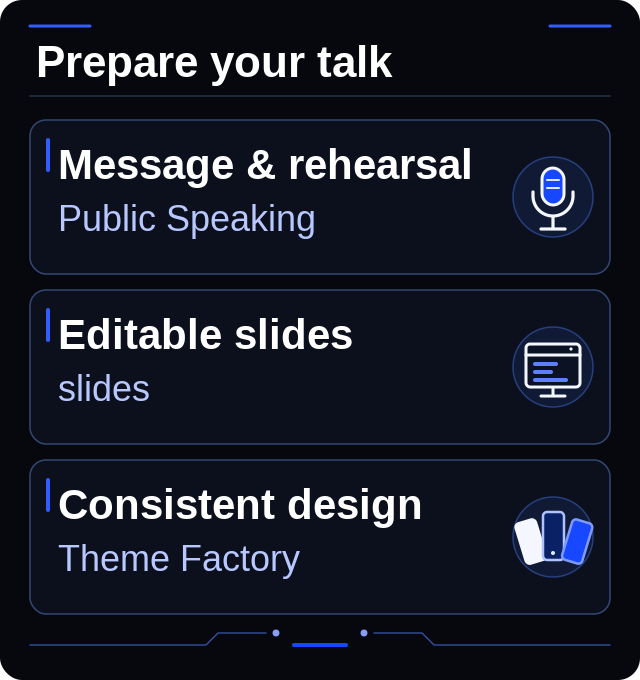
Start with one skill in Codex
Start with Public Speaking to prepare your talk. It works with text, so you can use it before making any slides. If Codex is already installed on your computer, open a folder for the talk and put a copy of your material there. In a conversation for that folder, paste the request below. The built-in installation helper is called $skill-installer.
Installation request: Use $skill-installer to install only public-speaking from https://github.com/RefoundAI/lenny-skills/tree/main/skills/public-speaking . Download the complete folder, including its supporting files. When finished, confirm that the skill appears in the skills list and is available to use.
Wait for the installation result, then try the preparation request in the next section. If the skill does not appear, close and reopen Codex. You install the extension once; for each new talk, supply your material, audience and available time.
1 Public Speaking for your message and rehearsal
RefoundAI’s public-speaking skill helps you choose a central idea, organize an explanation and prepare to speak to an audience. It belongs to the Lenny Skills collection. Bring your own material and a simple question: what should listeners understand by the time you finish?
Prepare a talk: Use public-speaking. I am preparing a 20-minute talk for teachers about keeping students’ attention in class. Help me choose one central message and organize the attached material into an opening, three sections and an ending. Suggest a classroom example and an audience question for each section. Ask me if information is missing. Do not invent research or statistics.
Review the result before continuing. Does the example suit the students’ age? Is there a specialist term that needs explaining? If the opening feels too general, ask to begin with a real situation from your material: Start with the description of the class returning from recess, then connect it to the question we will explore. Keep the language close to how I speak.
Practice the awkward questions too
Once the structure is clear, rehearse aloud with a timer. Explain your central idea in two minutes, then try it in one. If you cannot decide what to remove, type what you said into the conversation and ask the assistant to identify sentences that repeat the same point.
Rehearsal request: Ask me five questions the audience might raise, one at a time. Include a question that challenges my recommendation. Wait for my answer, then suggest a clearer, shorter version without changing my position. At the end, summarize which topics still need preparation.
For the talk about attention, possible questions include: How would this work with 35 students? What if the activity itself makes the classroom noisy? A useful answer should fit your experience and source material. If you do not have a well-supported answer, say what you know and what you need to check. The skill helps with wording and structure; the package described here does not automatically measure your voice or body language.
2 slides for editable PowerPoint presentations
The slides skill in JetBrains’ repository guides the assistant through creating and editing PowerPoint presentations. It keeps text and simple charts editable and asks for both the PPTX and the code used to build it. You can continue editing in PowerPoint or ask the assistant for changes.
Installation request in Codex: Use $skill-installer to install only slides from https://github.com/JetBrains/skills/tree/main/slides . Download the complete package. Check what is already installed on my computer, explain anything missing, and ask before installing or running new components.
Building the deck requires Node.js and PptxGenJS, a JavaScript library for creating PowerPoint files. The included checking tools also use Python, LibreOffice and Poppler. Ask the assistant to handle this preparation; you may need help with the first installation.
Give the slide builder a precise brief
Once setup is complete, explain who will attend, how much time you have and what must stay from the original material. Speaker notes hold the explanation you will give aloud. The slide can show the idea, example or chart that helps the audience follow it.
Create a presentation: Use slides to make 8 slides from the attached material for a 20-minute talk to teachers. Show me the proposed slide order for approval first. Give each slide one main idea. Add speaker notes with an explanation and an example I can say aloud. Preserve the sources. Return an editable PPTX, its source file and slide preview images. For Hebrew, set paragraph direction to right-to-left and check numbers, punctuation and English words before delivery.
For revisions, request a specific change: On slide 4, keep the conclusion and chart, and move the longer explanation into speaker notes. When supplying an existing presentation, state what must remain unchanged. Keep a copy of the original file and compare it with the result.
3 Theme Factory for consistent colors and fonts
Theme Factory comes from Anthropic’s repository. It provides ten color-and-font combinations and a PDF showing them. The skill instructs the assistant to show the examples and wait for your choice. It helps select and apply a style; making or editing the actual presentation also needs a suitable tool, such as slides once its setup is complete.
Installation request in Codex: Use $skill-installer to install only theme-factory from https://github.com/anthropics/skills/tree/main/skills/theme-factory . Include the themes folder and the example PDF.
Style request: Use theme-factory and show me the theme examples. Help me choose a calm, readable style for a talk in a bright classroom. Wait for my choice, then apply it with the presentation tool, preserving the content and speaker notes. For Hebrew, choose a font that supports the language. Check that the text stands out against the background.
Choose for the room where you will present. A subtle color that looks good on a laptop may disappear on a projector. Ask to see a slide with a heading, paragraph and chart before applying the style throughout.
Already using Cursor or Claude Code?
You can place a complete skill package in the folder the app reads. Keep its supporting files, themes and programs together. The following paths are inside your talk’s working folder; replace public-speaking with the name of your chosen skill.
Codex: Place the instruction file at .agents/skills/public-speaking/SKILL.md . In the command-line version, check the list with /skills.
Cursor: Place it at .cursor/skills/public-speaking/SKILL.md . Open that same working folder and look under Customize, then Skills.
Claude Code: Place it at .claude/skills/public-speaking/SKILL.md . Open that same working folder and invoke it with /public-speaking.
If copying folders is unfamiliar, give the assistant the package link from the relevant section and ask: Add the complete skill to this working folder using this app’s skill location, then check that it appears. For slides, you still need the additional software setup described above.
Before the talk, open and check the file
Open the PPTX in PowerPoint and view every slide at full size. Check that text is editable, speaker notes are present and no lines are cut off. For Hebrew, pay particular attention to numbers, parentheses and English words. Make sure sources still appear beside the relevant claims.
Finally, rehearse the whole talk. If you run over, tell the assistant which part took too long and how much shorter it needs to be. Leave a few minutes for questions. The presentation is ready when it helps you explain the material at a pace that works for the audience.
